Inspect cars at an event
This is for a scrutineer with the Scrutineer role on the organiser's team, or a visiting scrutineer added to the event. A visiting scrutineer can open the triage list and audit export and record inspections and defects for that event. Setting the interval, publishing the schedule and flagging a car are for the organiser's team.
Open the event's scrutineering page
- Choose the organiser, then "Events", then the event.
- Choose "Scrutineering" on the event's dashboard.
- Choose "Triage and schedule".
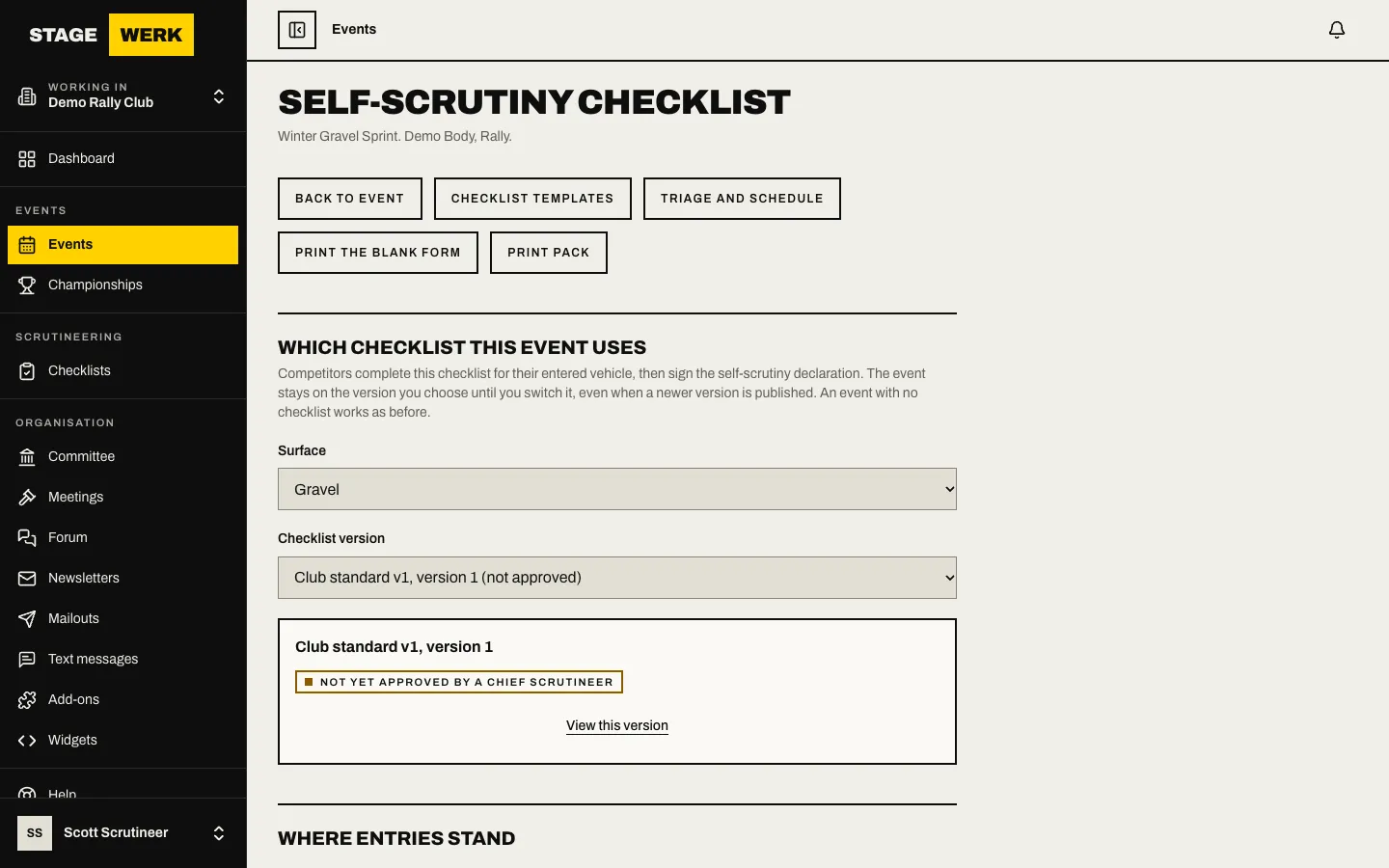
Plan the schedule (team members)
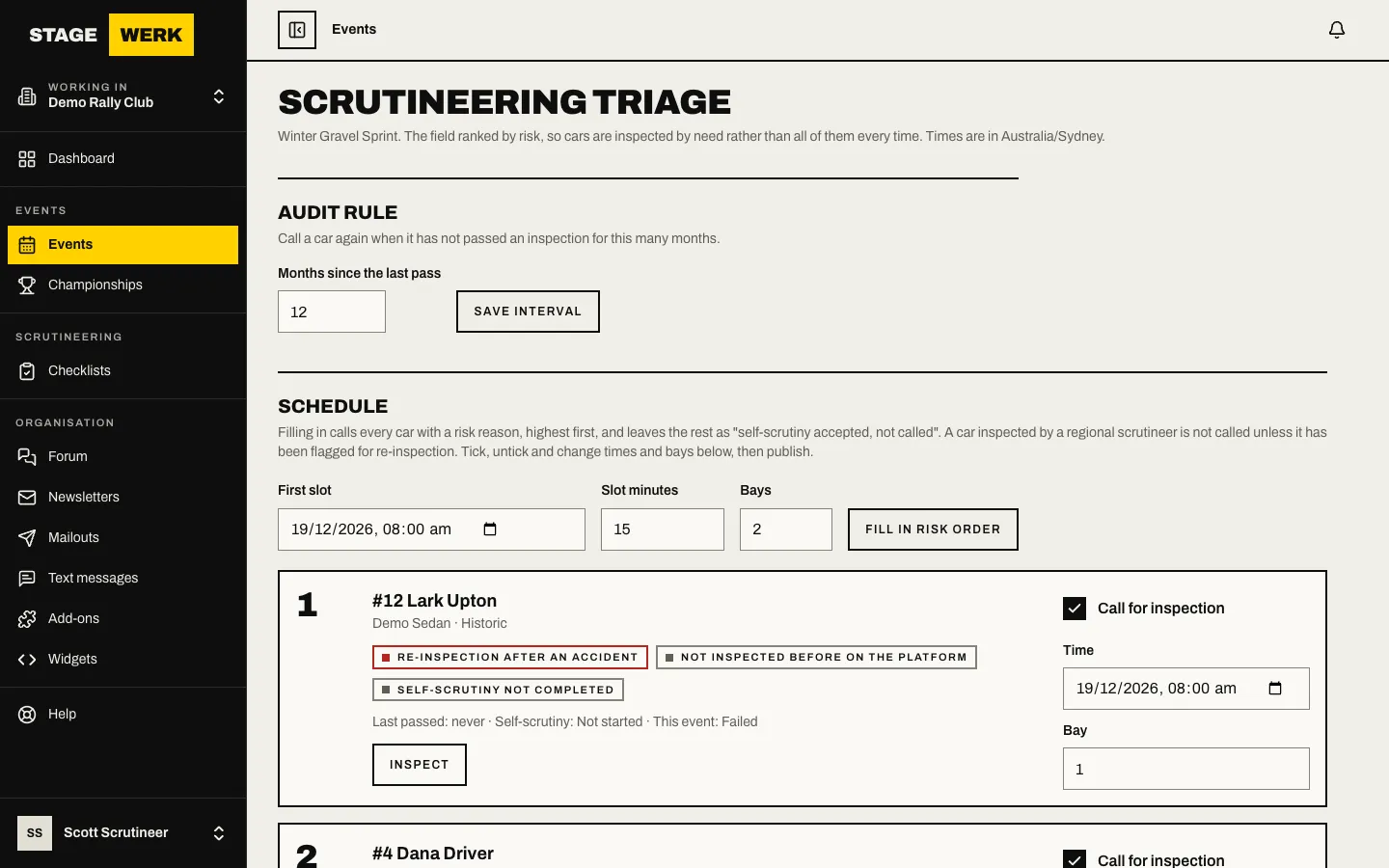
- Set "Months since the last pass" and choose "Save interval". A car is called again when it has not passed an inspection within that many months.
- Fill in "First slot", "Slot minutes" and "Bays", then choose "Fill in risk order". Every car with a risk reason is called, highest risk first. The others stay as self-scrutiny accepted, not called.
- Tick, untick and change times and bays as needed, then publish the schedule.
- Choose "Print schedule" for paper, or "Audit export (CSV)" for a file.
A car inspected by a regional scrutineer before the event is not called, unless it is flagged for re-inspection.
Record an inspection
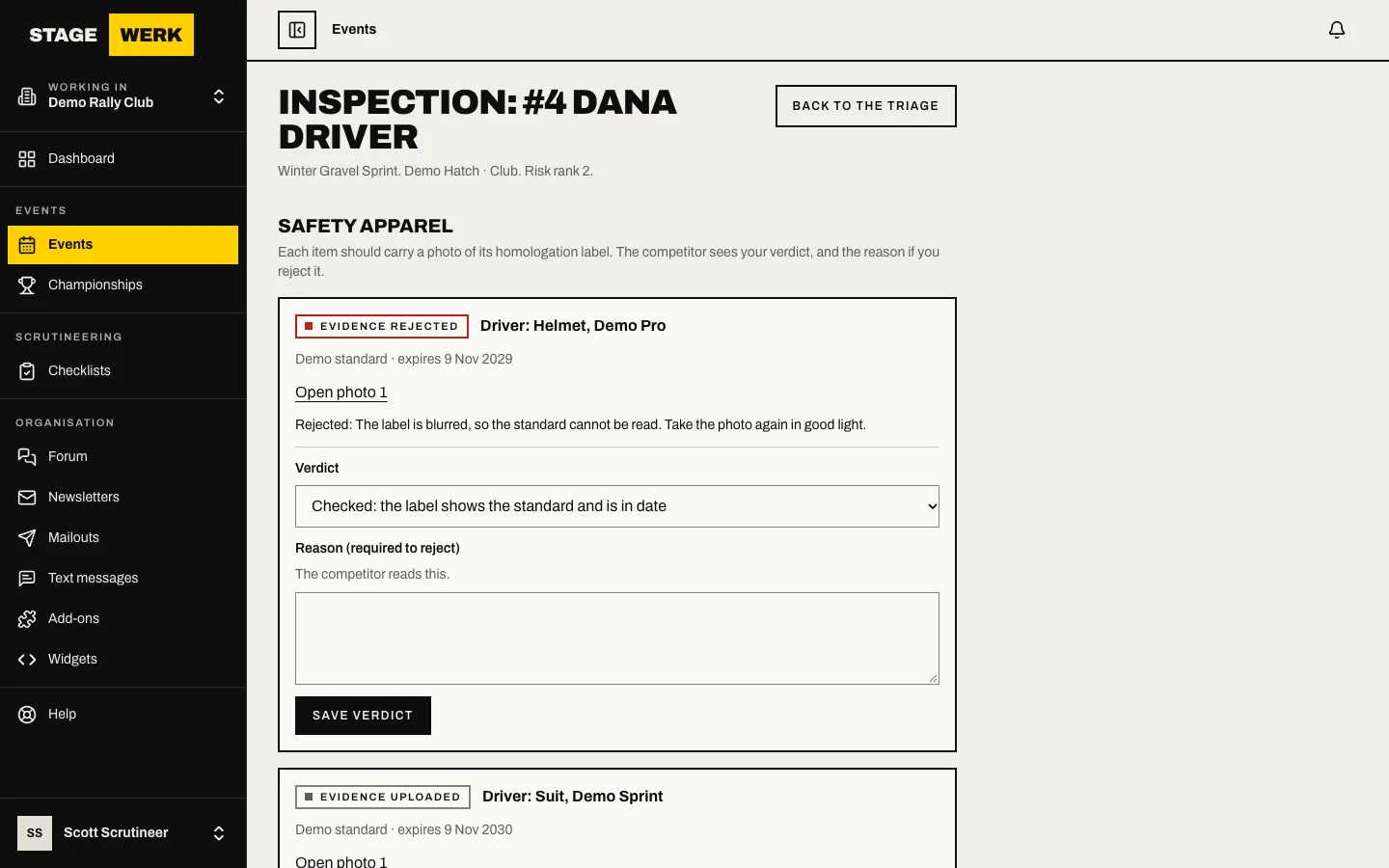
- In the triage list, choose "Inspect" beside a car.
- The page shows the driver's photos, why the car was called and any earlier inspections.
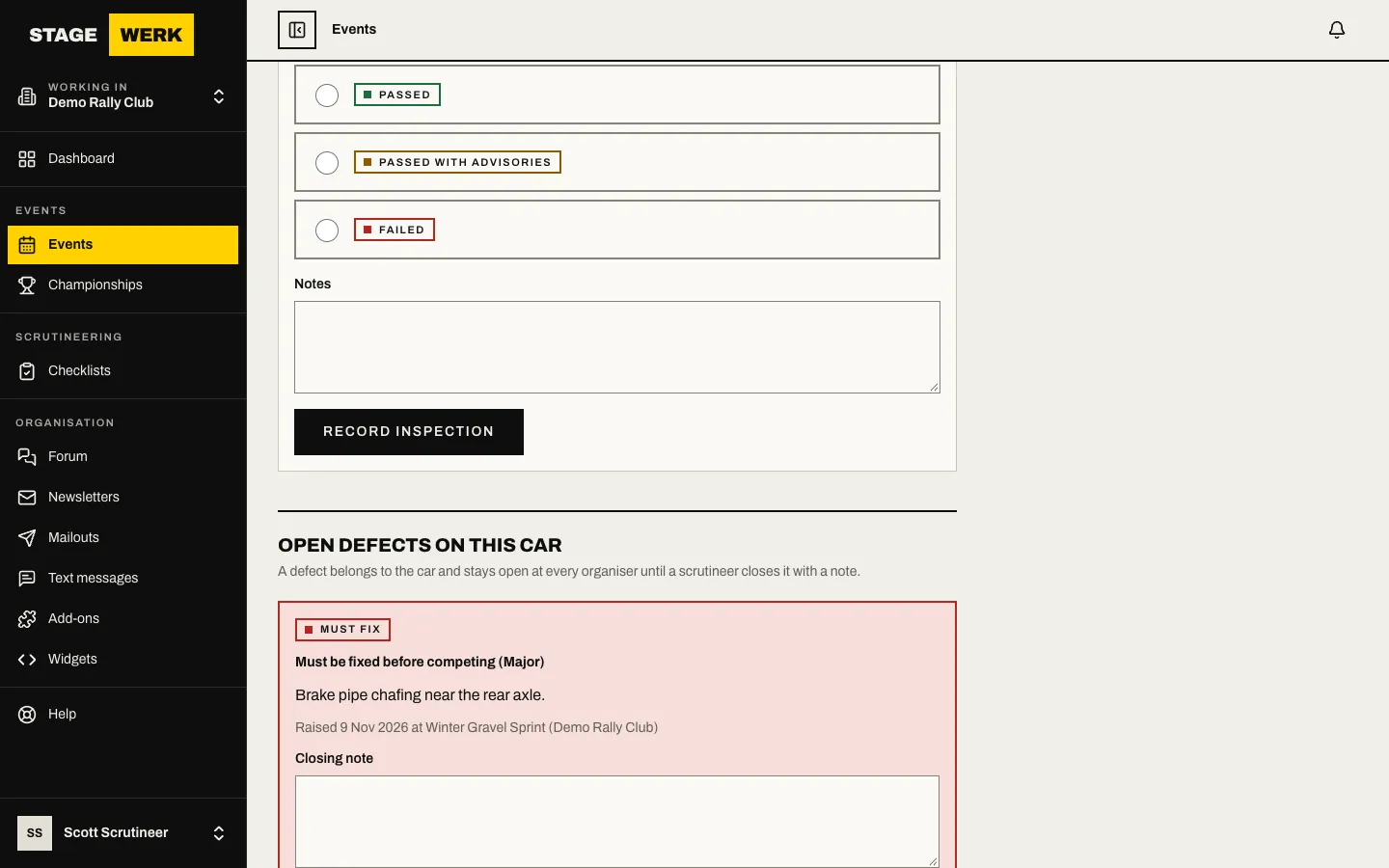
- Under "Record an inspection", choose the outcome: Passed, Passed with advisories or Failed. Add "Notes" and choose "Record inspection".
If a regional scrutineer already inspected the car, record it under "Inspected by a regional scrutineer before the event".
Defects and re-inspection
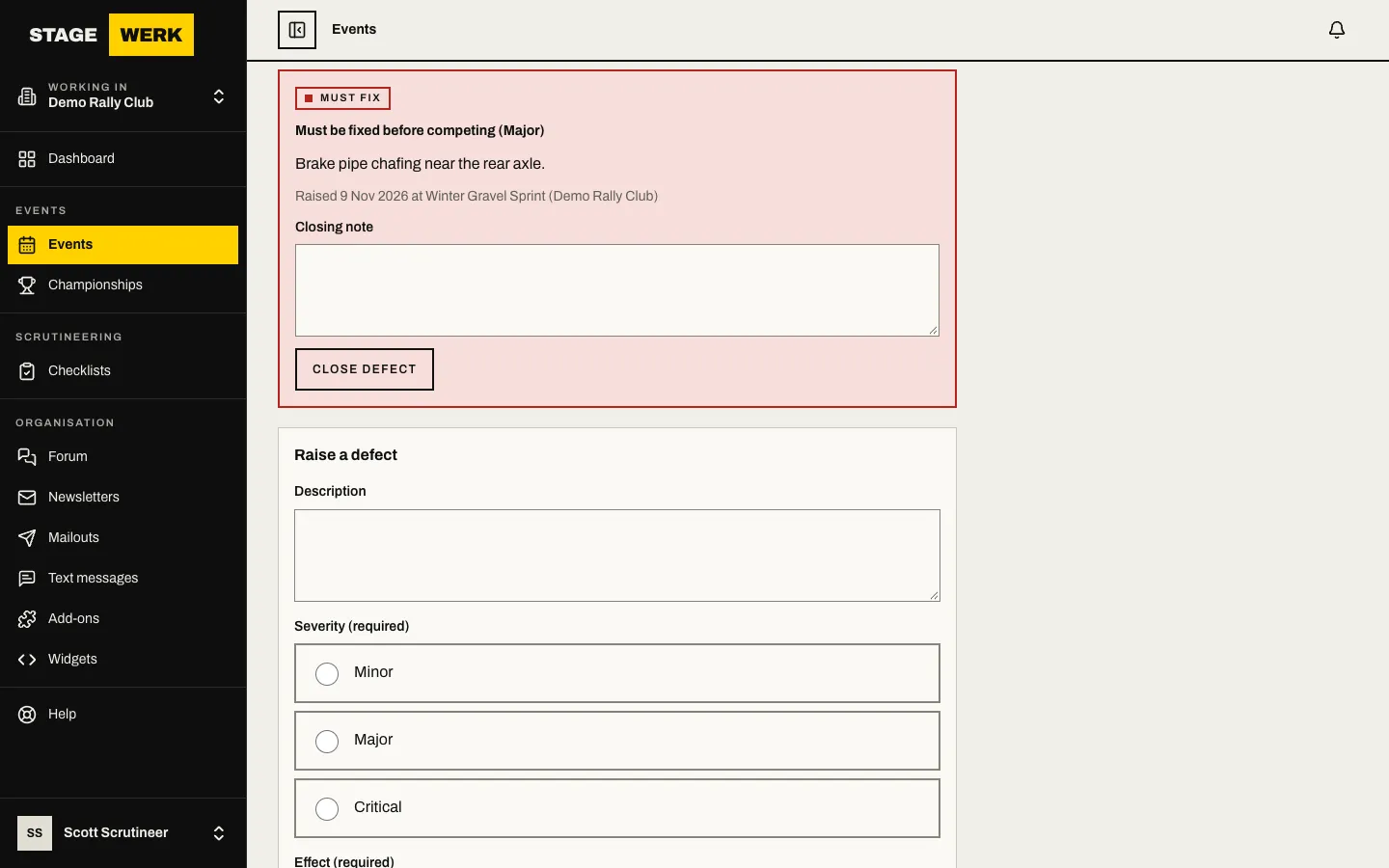
- A defect belongs to the car, and stays open at every organiser until a scrutineer closes it. Choose "Raise defect" to add one, and "Close defect" with a "Closing note" to close it.
- After an accident, a member of the organiser's team can flag a car, usually the clerk of course. It stays at the top of the triage until it passes an inspection afterwards, or the flag is cleared with a reason.
If something goes wrong
- You cannot see the page. You are not on the organiser's team and have not been added as a visiting scrutineer for this event, or your accreditation has lapsed.
- A car you expect is missing from the triage. Only entries holding a place are listed.
https://stagewerk.com/help